Factory teen driver settings: what teen modes do, how to set them up and their limits
Find your car’s teen settings, set them up early and read the reports wisely
Safety Behind the Wheel Foundationdrivewithcare.org
Last reviewed:
For parents of new drivers17 min read
Safety Behind the Wheel Foundation built this guide from National Highway Traffic Safety Administration (NHTSA) teen driving data and recall guidance, Insurance Institute for Highway Safety (IIHS) research, Centers for Disease Control and Prevention (CDC) data and published studies of in car monitoring for teens. Every source is listed at the end.
Why built in teen settings matter
Car accidents remain the leading cause of death for U.S. teens [1]. In 2024, collisions involving a teen driver age 15 to 18 killed 2,320 people [1]. About half of the teen passenger vehicle drivers who died that year (51%) were not buckled up [1]. Speeding was a factor for 33% of teen passenger vehicle drivers in fatal crashes [1].
Those are the same risks that factory teen settings target. Several automakers now offer technology packages that let parents keep an eye on driving and set limits [2]. Common tools include parent set speed limiters and seat belt interlocks that hold the gearshift or the sound system until people buckle up [2]. An interlock is a lock that keeps one part of the car from working until a condition is met.
The appeal is simple. The car repeats your rules on every trip, even when you are not in it. This guide explains what the settings do, who uses them, how to set them up and where they fall short. If you are still shopping, our guide to choosing a safe first car puts crash protection first.
What a factory teen mode can do
“Factory” means the feature was built into the vehicle by the automaker. There is nothing to plug in or install. A parent turns the mode on. Often that means registering one key fob as the teen key, creating a teen driver profile or setting a PIN, a short passcode. Some vehicles also use the automaker’s phone app.
Feature names and options vary widely, even between trim levels of the same model. These are the settings parents most often find:
Comparison compiled by Safety Behind the Wheel Foundation
Common factory teen mode settings
| Setting | What it does | Main risk it targets |
|---|---|---|
| Top speed cap | Keeps the car below a set top speed | Very high speeds |
| Speed warning | Chimes above a speed you choose | Creeping over the limit |
| Buckle up audio mute | Keeps the radio and phone audio silent until front seat riders buckle | Riding unbelted |
| Belt shift interlock | Keeps the car in park until the driver buckles | Riding unbelted |
| Volume limit | Caps how loud the audio can play | Distraction, missed sirens |
| Safety systems kept on | Stops the teen from switching off certain warnings or stability control | Missed hazards, skids |
| Report card | Sums up trips, such as distance, top speed and warnings | Facts for coaching |
| Curfew or area alert | Notifies you if the car is driven late at night or outside an area | Night driving, unplanned trips |
NHTSA’s research guide for safety programs says more vehicles now offer built in systems that let parents track driving and set limits. Those limits can cover speed and the screen, audio and phone features [3]. Curfew alerts are one of the newer teen specific tools researchers have studied [4]. They matter because the fatal crash rate at night for drivers 16 to 19 is about three times that of drivers 30 to 59, per mile driven, in 2020 data [5].
In most systems, teen mode applies only when the car starts with the teen key or profile. With a parent key, the car usually drives as normal.
What the research says
On paper, teen specific features look powerful. An IIHS research team studied U.S. collisions involving teen drivers from 2016 to 2019 [4]. They looked at three teen tools: speeding prevention, longer seat belt reminders or interlocks, and alerts for driving past a night curfew [4]. These teen tools showed more potential to cut teen driver deaths and injuries than any of the general crash avoidance features in the study [4]. Counting all six technologies in the study, up to 78% of teen driver deaths were potentially preventable [4].
IIHS sums it up for parents. Teen packages could stop collisions or make them less severe. That could help in up to two thirds of teen driver deaths and close to a third of teen driver injuries [2].
These are best case numbers. They assume every feature is on and works on every trip. The researchers said more study is needed on how teens actually drive with these features [4].
Studies of in car feedback show what makes the difference. In an earlier IIHS study, devices in 85 teens’ vehicles flagged speeding, sudden braking or acceleration, and unbelted driving [6]. Belt use improved when parents could see the violations online. It improved even more when an alert also sounded in the car [6]. Speeding dropped steadily only when three things came together [6]:
- The teen heard an in car speed alert.
- The teen believed a quickly corrected speed would not be reported.
- Parents received report cards on speeding.
A trial led by National Institutes of Health researchers found a similar pattern [7]. When only the teen saw warning lights after hard braking or sharp turns, risky driving did not drop. When families could also review the events, it did [7]. Safety Behind the Wheel Foundation encourages families to review trip reports together for the same reason.
The lesson is clear. Factory settings help most as part of a family plan, not as a stand in for one.
Seat belt settings: the clearest target
Buckling up is where these settings have their strongest case. In 2025, 87% of front seat riders ages 16 to 24 were seen wearing belts, compared with 92% of people 25 and older [8]. Federal rules require only a short driver belt reminder: a warning light and a chime lasting 4 to 8 seconds [8]. IIHS says reminders that short are not effective [8].
Firmer nudges do better in studies of drivers who did not always buckle up:
- A chime that kept going, or lasted 100 seconds, raised belt use by about a third [8].
- A setting that held the car to 15 mph while the driver was unbelted raised belt use by 33% [8].
- A gearshift interlock raised belt use by 16%, but the study could not rule out chance [8].
There is a catch. Drivers in that research easily beat the interlocks, for example by sitting on top of a latched belt or latching it behind them [8]. A buckle up audio mute can be fooled the same way. Talk about this with your teen before it happens. Explain what the setting is for and what will happen if you find the belt latched behind the driver.
Who uses factory teen settings
- Parents of new drivers. The car backs up family rules when no adult is riding along.
- Teens themselves. A teen can point to the car when friends push for louder music or higher speed.
- Families who share a car. A teen key keeps the teen’s limits apart from adult settings.
- Employers and fleets. Some businesses use built in driver profiles, speed alerts and trip reports for young or newly hired drivers. Our guide to young workers who drive covers an employer’s wider duties.
How to find out what your vehicle has
Teen modes come from the vehicle manufacturer and are serviced through its authorized dealers. In most cases you cannot add one later, so check before you buy. Start with the owner’s manual. Search the index for words like “teen,” “driver profile,” “restricted key,” “speed limit” and “belt.” The automaker’s website or app may also list features by vehicle identification number (VIN).
A used vehicle may have the feature even if the last owner never used it. You may need a second programmed key from a dealer. Clear out the previous owner’s profiles and app links before your teen drives. Some trip reports and remote alerts also need a connected service plan, which may cost money after a trial period.
Set it up before the first solo drive
Capabilities vary by vehicle, so configure everything before the trip, not in a driveway rush.
- Read the teen mode section of the owner’s manual from start to finish.
- Program the teen key or profile. Label the teen key and put parent keys away.
- Set a passcode that only parents know.
- Choose each setting. Set the speed warning near the highest posted limit on roads your teen will use.
- Test it in an empty parking lot with your teen. Confirm the belt feature and the speed chime work the way the manual says.
- Check that a report card shows up where the manual says it will.
- Add the settings to your family driving agreement so the rules and the car say the same thing.
- Put a review date on the calendar, such as two weeks after the first solo drive.
A top speed cap set near highway speed does nothing on a 35 mph street. That is why the speed warning, set by you, often matters more than the cap.
Match the settings to each licensing stage
Graduated driver licensing, or GDL, gives new drivers more freedom in stages. Our GDL roadmap explains the stages and your state’s role. The settings can follow the same path.
Comparison compiled by Safety Behind the Wheel Foundation
Teen mode settings by licensing stage
| Stage | Settings to consider | Your role |
|---|---|---|
| Learner permit | Teen mode on during practice so it feels normal | Ride along on every drive |
| First months alone | Strictest settings: belt mute, volume limit, speed warning, curfew alert | Review reports weekly |
| Later intermediate stage | Keep belt and safety settings, but ease other limits if reports stay clean | Review reports less often |
| Full license | Decide together which settings stay | Occasional check ins |
Parents disagree about when to introduce driving technology. In an IIHS focus group study, about half of parents preferred to start right away, and half wanted to wait until basic skills were solid [9]. For teen modes, starting during the permit stage lets your teen learn the chimes and limits with you beside them.
Reading the report card
A report card gives you facts, but not the reasons behind them. A speed warning might come from passing a slow truck or from racing a friend. Ask what happened before you decide what it means.
Look for patterns over several weeks, not single events. Praise clean weeks as readily as you raise problems. Remember what the report cannot show, such as phone use, passengers or trips in another car.
Our guide to teen driver monitoring walks through a weekly data review, a family data agreement and privacy questions in depth.
Limits and common mistakes
Teen modes have blind spots of their own.
- It only works with the teen key. A teen who grabs a parent key, or drives a friend’s car, drives without limits. Teens also tend to drive older, less costly vehicles once they drive on their own, and those may lack these features [9].
- A speed cap is not a safe speed. Teens can still drive too fast for a curve, a school zone or rain.
- Belt settings can be fooled. In research, drivers got past belt interlocks by latching the belt behind them [8].
- Teen settings are not built to catch alcohol, drugs or drowsiness. In 2024, 22% of passenger vehicle drivers age 15 to 18 in fatal collisions had been drinking [1]. Your rules and a ride home plan cover what the car cannot.
- Muted audio does not stop texting. Distracted driving played a part in accidents that killed 3,208 people in 2024 [10]. Pair teen mode with your teen’s phone driving settings.
- Too much trust in the car. In one University of Michigan study, teens drove with less controlled pedal use when a crash warning system was active, while adults did not [11]. Teach skills first and treat the tech as backup.
Keep it working
Settings help only if they still work. Build a short upkeep routine.
- Recheck the teen settings after service visits, battery work or software updates, since some systems can reset.
- Replace the teen key’s battery when the car warns that it is low. Keep a spare parent key secured.
- Renew any connected service plan if reports stop arriving.
- Check for open recalls by VIN twice a year. Dealers fix recalled parts for free [12].
- Review the settings together at each new licensing stage.
- Before you sell or trade in the car, remove your app link and reset all driver profiles.
Frequently asked questions
Can I add a factory teen mode to a car that doesn’t have one?
Usually not. Teen modes depend on the car’s own computers and keys, so they come from the factory or not at all. If your car lacks one, plug in monitoring devices or phone apps are other options. Our teen driver monitoring guide compares them. Firm family rules and regular practice drives work in any car.
Can my teen switch teen mode off?
In most systems, changing teen settings takes a parent key, a parent profile or a passcode. The easier workaround is simply driving with a parent key or another car. Keep parent keys put away and make it a family rule that the teen key is the only key your teen uses. If the odometer shows more miles than the report card, ask about it calmly.
What speed should I set for the warning?
Pick a speed near the highest posted limit on the roads your teen drives most. If your teen drives mostly on local roads, a lower warning will be more useful. Avoid setting it so low that the chime sounds all the time, because constant alarms get tuned out. Review the setting after a few weeks of reports.
Do the belt settings cover back seat passengers?
Some buckle up features check only the front seats. Check your manual to see which seats your car monitors. Federal rules are changing. Starting in September 2028, an upgraded standard will require longer lasting reminders for front seat passengers and reminders for all rear seats [8]. Until then, make “everyone buckles before we move” a rule your teen enforces as the driver.
Is a built in report card the same as spying?
It does not have to be. Tell your teen what the car records, who sees it and why, before the first solo drive. Studies show feedback works best when parents take part [6, 7]. Frame reports as a way to earn more freedom as clean weeks add up. Some parents hold back from monitoring because of trust or privacy worries [3]. Talking openly helps with both.
Will teen mode change my insurance?
That depends on your insurer and policy. Ask your insurance agent whether any built in feature affects your premium. Also ask whether the insurer would receive driving data from the car, and how you can say yes or no to sharing. Do not assume a discount, and do not share data until you know where it goes.
The bottom line
Recommendation from Safety Behind the Wheel Foundation
Safety Behind the Wheel Foundation encourages parents to set up factory teen settings before the first solo drive and to review the reports with their teen. Factory teen settings put your rules into the car itself. Speed warnings, buckle up audio mutes, volume limits and report cards target the habits behind many teen deaths. Research suggests the potential is large, but the real gains come when parents set the features up carefully, explain them and review the reports with their teen.
Treat teen mode as one layer of protection. Keep riding along, keep talking and keep adding freedom as your teen shows good judgment.
Related articles
Sources and further reading
- 1National Highway Traffic Safety Administration. Teen Safe Driving: How Teens Can Be Safer Drivers. Accessed October 2026 (no update date shown). Data year: 2024. nhtsa.gov/road-safety/teen-driving
- 2Insurance Institute for Highway Safety. Young driver safety: A guide for parents of teens. Updated May 2026. iihs.org/…/young-driver-safety
- 3National Highway Traffic Safety Administration. Electronic Technology for Parental/Guardian Monitoring. Countermeasures That Work (Young Drivers). Accessed October 2026. nhtsa.gov/…/other-strategies-behavior-change-1
- 4Mueller AS, Cicchino JB. Teen driver crashes potentially preventable by crash avoidance features and teen-driver-specific safety technologies. Journal of Safety Research 81:305-312. Published 2022. Data year: 2016 to 2019. [https://pubmed.ncbi.nlm.nih.gov/35589301/](https://pubmed.ncbi.nlm.nih.gov/35589301/) (DOI: [https://doi.org/10.1016/j.jsr.2022.03.007](https://doi.org/10.1016/j.jsr.2022.03.007)) doi.org/10.1016/j.jsr.2022.03.007
- 5Centers for Disease Control and Prevention. Risk Factors for Teen Drivers. Last reviewed August 4, 2025. Data year: 2020. cdc.gov/teen-drivers/risk-factors/index.html
- 6Farmer CM, Kirley BB, McCartt AT. Effects of in-vehicle monitoring on the driving behavior of teenagers. Journal of Safety Research 41(1):39-45. Published 2010. [https://pubmed.ncbi.nlm.nih.gov/20226949/](https://pubmed.ncbi.nlm.nih.gov/20226949/) (DOI: [https://doi.org/10.1016/j.jsr.2009.12.002](https://doi.org/10.1016/j.jsr.2009.12.002)) doi.org/10.1016/j.jsr.2009.12.002
- 7Simons-Morton BG, Bingham CR, Ouimet MC, et al. The effect on teenage risky driving of feedback from a safety monitoring system: a randomized controlled trial. Journal of Adolescent Health 53(1):21-26. Published 2013. [https://pubmed.ncbi.nlm.nih.gov/23375825/](https://pubmed.ncbi.nlm.nih.gov/23375825/) (DOI: [https://doi.org/10.1016/j.jadohealth.2012.11.008](https://doi.org/10.1016/j.jadohealth.2012.11.008)) doi.org/10.1016/j.jadohealth.2012.11.008
- 8Insurance Institute for Highway Safety. Seat belts. Updated July 2026. Data year: 2025 (observed belt use); n/a for reminder and interlock studies. iihs.org/research-areas/seat-belts
- 9Weast RA, Mueller AS, Kolodge K. Learning to drive: Parental attitudes toward introducing teen drivers to advanced driver assistance systems. Traffic Injury Prevention 23(1):1-5. Published 2021. [https://pubmed.ncbi.nlm.nih.gov/34874803/](https://pubmed.ncbi.nlm.nih.gov/34874803/) (DOI: [https://doi.org/10.1080/15389588.2021.2004401](https://doi.org/10.1080/15389588.2021.2004401)) doi.org/10.1080/15389588.2021.2004401
- 10National Highway Traffic Safety Administration. Distracted Driving Dangers and Statistics. Accessed October 2026. Data year: 2024. nhtsa.gov/risky-driving/distracted-driving
- 11Bao S, Wu L, Yu B, Sayer JR. An examination of teen drivers’ car-following behavior under naturalistic driving conditions: With and without an advanced driving assistance system. Accident Analysis and Prevention 147:105762. Published 2020. [https://pubmed.ncbi.nlm.nih.gov/32942123/](https://pubmed.ncbi.nlm.nih.gov/32942123/) (DOI: [https://doi.org/10.1016/j.aap.2020.105762](https://doi.org/10.1016/j.aap.2020.105762)) doi.org/10.1016/j.aap.2020.105762
- 12National Highway Traffic Safety Administration. Check for Recalls: Vehicle, Car Seat, Tire, Equipment. Accessed October 2026. nhtsa.gov/recalls
This article reflects the safety priorities of teen driver safety and the vehicle technology that supports new drivers. It is general education, not legal, insurance or financial advice, and it does not endorse any vehicle brand or service. Features and rules change, so verify details with official sources. For your exact car, check the owner's manual or ask the automaker's authorized dealer. For insurance questions, contact your insurer or your state insurance department. Reviewed October 2026.
Cite this article: Safety Behind the Wheel Foundation. “Factory teen driver settings: what teen modes do, how to set them up and their limits.” drivewithcare.org, https://drivewithcare.org/factory-teen-driver-settings/. Reviewed October 2026.
Special thanks to our contributors
We appreciate the professionals, experts, and community members who share their knowledge and perspectives to help make this resource better. Your insights are always welcome and appreciated.
Have professional expertise, firsthand experience, or a perspective that could make this resource better?
We welcome your input. Your knowledge and experience can help us make this resource more useful, accurate, and meaningful to the people who rely on it.
Thank you. Your contribution is on its way.
We’re grateful you took the time to share your knowledge with us. Our team reviews every contribution with care. If it helps improve this resource, we’ll update the page and recognize you the way you chose.
Keep reading
More on Teen drivers and parents
Keep learning
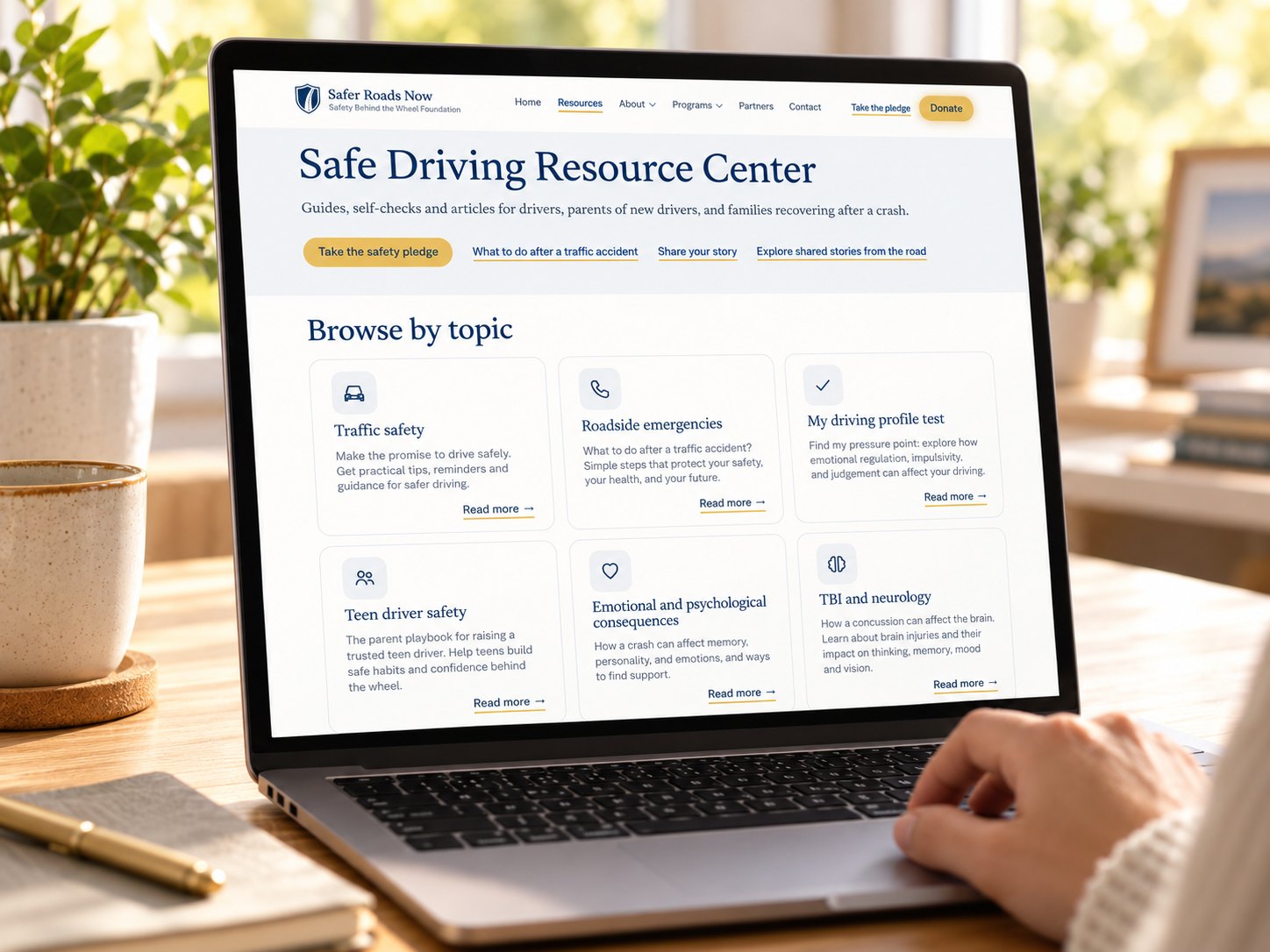
Safe Driving Resource Center
Guides, self-checks and articles for drivers, parents of new drivers, and families recovering after a crash.