Smartphone crash detection and medical ID: set them up before you need them
How to turn on emergency features, fill in a medical ID and prepare your contacts
Safety Behind the Wheel Foundationdrivewithcare.org
Last reviewed:
For every driver16 min read
Safety Behind the Wheel Foundation built this guide from National Highway Traffic Safety Administration (NHTSA) data and emergency calling guidance, federal rules for wireless emergency calls, the Pennsylvania Department of Transportation and published studies in trauma and emergency medicine. Every source is listed at the end.
Why the setup has to happen before an emergency
In 2024, 39,254 people died on roads in the United States [1]. Federal 911 officials describe care after a collision as starting when a 911 center gets the call [2]. Every minute before that call is a minute no one is coming.
Response time matters. A national study of counties from 2013 to 2015 found the typical EMS response time to collisions was 9 minutes [3]. Where responses took 12 minutes or more, collision death rates were about 46 percent higher than where they took under 7 minutes [3]. That held even after the researchers accounted for rural areas and other factors [3].
Distance adds time. A study of more than 310,000 fatal collisions from 1987 to 2020 looked at the time from crash to hospital [4]. In rural areas, it ran 15 to 23 minutes longer than in cities [4]. Rural callers also often cannot name a crossroad or a mile marker, which slows help down [2].
The lesson is simple. Your phone cannot make an ambulance faster. It can shrink the gap before anyone knows you need help, and it can tell responders who you are. But only if the work is done in advance, not after a wreck when you may be hurt or trapped.
What phone and watch crash detection can and cannot do
Crash detection is a feature on some newer smartphones and smartwatches. It is built to sense the sharp jolt of a severe car accident and then place an emergency call [5]. When it senses a collision, it shows an alert and starts a short countdown. On the devices studied in one Japanese city, the owner could cancel the alert or connect to emergency services. If the owner did not respond, the device called for help on its own after 20 seconds [5].
Some watches have a related feature called fall detection. In one published case, a runner collapsed (this was not a car accident). His watch’s fall detection alerted emergency services and his emergency contacts. Family members reached him first and started CPR before the ambulance arrived [6].
These tools have real limits:
- They need power and a signal. A dead battery or a phone thrown out of reach can stop them.
- They do not catch everything. Researchers have noted that it is still unclear how these systems decide what counts as a collision [5].
Some vehicles have their own built in crash notification, a separate system. Your phone still matters, because it rides with you in every car you get into.
Step by step: turn on crash detection and emergency calling
Menus differ by phone maker and software version. The fastest way in is the search bar in your Settings app. Try words like “emergency,” “SOS,” “safety” and “crash.” Then work through this routine at home.
- Update your phone’s software. Safety features can change with new versions.
- Open the emergency or safety section in Settings. Turn on crash detection if your phone offers it.
- Allow the permissions the feature asks for, such as location and motion. Blocking them can keep the feature from working.
- Learn your phone’s emergency button shortcut, which can call 911 with a set pattern of presses. Do not practice it in a way that dials 911.
- Add emergency contacts inside the emergency or medical section. Saving someone in your address book is not enough.
- If you wear a smartwatch, turn on its crash or fall detection too. Check whether it can call on its own or needs your phone nearby.
- Turn on location services for the whole phone, not just for single apps.
- Check that your driving mode still lets emergency calls and key contacts through.
Never test these features by calling 911. If you reach 911 by mistake, do not hang up. Stay on the line and explain what happened [7]. Direct other questions to your local nonemergency number.
Build a medical ID that responders can actually use
A medical ID is a page on your phone that holds your health and contact details. On major phone systems, it can be opened from the lock screen without your passcode [8, 9].
At one urban trauma center, researchers checked 143 trauma patients who could not give their own medical history between 2020 and 2021 [8]. Only 30 arrived with a smartphone, and 27 of those phones could be checked [8]. Eight had a medical ID set up. In six of those eight cases, the information was relevant to care [8]. The details found most often were identifying information and emergency contacts. Fewer IDs listed medicines, medical history or blood type [8].
A medical ID can help, yet most of the phones checked had none. Use this table to fill in yours.
Comparison compiled by Safety Behind the Wheel Foundation
What to put in your medical ID
| What to enter | Why it helps | Tip |
|---|---|---|
| Full name and birth date | Helps match you to hospital records | Use the name on your ID |
| Two emergency contacts | Lets the hospital reach family fast | Add how each person is related to you |
| Allergies | Helps avoid a harmful reaction | Include drug and latex allergies |
| Current medicines | Helps the care team choose safe treatment | List names and doses |
| Major conditions and implants | Gives context if you cannot speak | Think seizures, diabetes, a pacemaker |
| Language or communication needs | Helps responders talk with you | Example: “Deaf, prefers text” |
After you save it, turn on the setting that shows it when the phone is locked. Then lock your phone and confirm that you can open the medical ID from the emergency screen without dialing.
Keep privacy in mind. Anyone who picks up your locked phone can read this page. Leave out your Social Security number, bank details and insurance ID numbers.
Choose and prepare your emergency contacts
Pick two or three people who usually answer their phones. Include at least one person who is rarely in the car with you, since a contact who is in the same wreck cannot help much.
Tell them they are listed. As the runner’s case shows, contacts can sometimes reach you before an ambulance does [6]. Agree on a simple plan:
- Call you right away when an alert arrives.
- If you do not answer, call 911 and share the location in the alert.
- Do not race to the scene before calling. Drive safely if you go.
Some state motor vehicle agencies let you link emergency contacts to your driver’s license record. Pennsylvania’s driver services site, for example, lists an option to add or update your emergency contact information [10]. Check your state’s DMV website.
Carry a backup that does not need a battery
Phones break, die and fly out of reach in a collision. A paper card in your wallet still works.
In a survey at a major German trauma center, 45 percent of patients had never heard of phone emergency apps [11]. Only 10 percent had stored their data in one [11]. About 21 percent carried a paper note listing their illnesses and medicines [11]. Among emergency physicians, only 6 percent said they routinely searched an unresponsive patient’s phone for this kind of information [11]. The authors suggested that for patients over 55, the wallet may be the better place to look [11].
Make your card match your medical ID and keep it next to your driver’s license. If you have a serious condition, ask your doctor whether medical alert jewelry makes sense for you.
This matters for older drivers and passengers. A study of linked EMS and crash records in Ohio from 2018 to 2023 found that older adults consistently had longer on scene times [12]. The authors linked this to the added challenge of assessing and treating older patients [12]. A current medicine list is one small way families can help.
When your phone calls for help by mistake
False alarms happen. A study in Okayama City, Japan, reviewed emergency calls from October 2022 to March 2023 [5]. Crash detection on phones and watches placed 49 calls [5]. Only 13 were tied to real collisions or falls. Another 35 were false alarms caused by hard braking or a dropped phone, a false alarm rate of 71 percent [5].
The bigger problem was silence. In 27 of the 49 cases, no one responded when the dispatch center tried to reach the caller [5]. Ambulances were sent in 12 of those cases [5]. The authors noted that a mistaken call can be cleared up if the owner answers the callback and explains. If the owner cannot be reached, responders use the call’s location to send help [5].
If your phone or watch starts a countdown and you are fine, use this routine:
- If you are driving, keep your eyes on the road. Cancel only if one tap does it safely.
- If the call connects, stay on the line. Tell the call taker you are not hurt and where you are [7].
- Answer any callback in the next few minutes, even from an unknown number.
- Let your emergency contacts know it was a false alarm, in case they got a message.
- If false alarms keep happening, review your settings rather than switching the feature off for good.
When you need to reach 911 yourself
The National 911 Program advises calling when you can and texting only when you cannot [7]. Safety Behind the Wheel Foundation gives drivers the same advice. Text to 911 is spreading but is not available everywhere. Where it is not, you should get an automatic bounce back message saying your text was not delivered [7]. Federal rules require wireless carriers to send that message [13].
Your location is the most important thing you share. Federal rules set accuracy targets for wireless carriers. One target is an address level location or a spot within 50 meters (about 164 feet) for 80 percent of wireless 911 calls [13]. Another calls for height within 3 meters, up or down, for 80 percent of calls, with nationwide rollout due by April 2025 [13]. These are targets, not promises.
Automatic location can make a big difference. In a simulated test of 108 emergency calls in a German city, an app that sent phone location automatically was off by about 66 meters on average. Spoken directions were off by more than 1,100 meters [14]. Automatic location also cut the time to pin down where the caller was by about half [14]. Keep location services on.
Two more facts to know:
Set up the whole family
Take an hour to go through every phone and watch in your household.
New and teen drivers
Set up crash detection and a medical ID together before a teen drives alone. List a parent as a contact, and explain why they must answer a callback after a false alarm. Our guide to phone setup before driving covers blocking distractions.
Older parents and relatives
Offer to help, but let them decide what goes into their medical ID. Make sure their wallet card matches, since some responders still look there first [11].
People with disabilities or communication needs
Note how you communicate best in the medical ID. If speaking is hard for you, learn whether text to 911 works where you live and drive [7].
Drivers who carry others
If you often drive with young children or someone who cannot speak for themselves, note it in your medical ID. That tells responders to look for them.
Keep it current: a twice a year check
Settings drift. An update may change a menu, and a new phone may not copy every setting. Pick two dates a year, such as when the clocks change, and run this check.
Also run it when you get a new phone or watch, start a new medicine, or change contacts.
Frequently asked questions
Will my phone call 911 after every collision?
No. Crash detection is built to look for severe collisions, and it is still unclear exactly how it decides [5]. A low speed bump may not trigger it. A phone that is dead, broken or out of signal cannot call at all. Treat crash detection as a safety net. If you can call 911 yourself, do it, and give your location first.
Can a stranger see my medical ID when my phone is locked?
Yes. On major phone systems, the medical ID opens from the lock screen without your passcode, so responders can read it when you cannot talk [8, 9]. That also means anyone who picks up your phone can see it. Include what someone helping you would need, and leave out account numbers.
What should I do if my phone calls 911 while I am fine?
Stay on the line and tell the call taker you are not hurt and where you are [7]. If the call has already ended, answer the callback. In one study, most crash detection calls were false alarms, and ambulances were sent to several people who did not respond [5].
My car has built in crash notification. Do I still need to set up my phone?
Yes. A car’s system only works in that car. Your phone, medical ID and emergency contacts go with you into rideshares, borrowed cars and a friend’s vehicle. Setting up both gives you two separate chances for help to be called after a serious collision.
Can I text 911 if I cannot talk?
In many places, yes. But text to 911 is not available everywhere [7]. If it does not work where you are, you should get a bounce back message saying the text was not delivered [7, 13]. If you can, call instead. If you must text, put your location and the type of emergency in your first message.
Should I still carry a paper card if my phone has a medical ID?
Yes. Phones can break or go missing in a wreck. In one survey, few emergency physicians routinely searched patients’ phones for medical details [11]. The authors suggested a wallet may be the better place to look for patients over 55 [11]. Keep a card that matches your medical ID next to your driver’s license.
The bottom line
Recommendation from Safety Behind the Wheel Foundation
Safety Behind the Wheel Foundation encourages every household to set up each phone’s emergency features and medical ID before anyone needs them. Crash detection and a medical ID are free safety tools that many people already carry. They work only when they are switched on, filled in and kept current. Take an hour this week to set up every phone and watch at home, brief your contacts, and add a matching wallet card.
Then keep two habits: leave location services on, and always answer a callback after a false alarm. If a serious accident ever happens, your phone can call for help and speak for you when you cannot.
Related articles
- Post crash care: what to do in the first minutes after a crash
- Phone setup before driving: set it once, then drive distraction free
- Rural road safety: why country roads are deadlier and how to drive them
- Roadside breakdown safety: what to do when your car breaks down
- Serious car crash: how to spot symptoms that need medical care
Sources and further reading
- 1National Highway Traffic Safety Administration. NHTSA home page (traffic deaths figure). Accessed October 2026. Data year: 2024. nhtsa.gov
- 2National 911 Program (NHTSA). 911’s Role in Highway Safety. Updated August 17, 2026. 911.gov/issues/911-s-role-in-highway-safety
- 3Byrne JP, Mann NC, Dai M, et al. Association Between Emergency Medical Service Response Time and Motor Vehicle Crash Mortality in the United States. JAMA Surgery, 2019. Data year: 2013 to 2015. pubmed.ncbi.nlm.nih.gov/30725080
- 4Dubois S, Gravelle P, Savage DW, Maxwell H, Bédard M. Emergency medical services response times to motor vehicle crashes increased in the USA over the period 1987-2020. Injury, 2026. Data year: 1987 to 2020. pubmed.ncbi.nlm.nih.gov/42069492
- 5Hongo T, Yamamoto S, Nojima T, Naito H, Nakao A, Yumoto T. Automatic emergency calls from smartphone/smartwatch applications in trauma. Acute Medicine & Surgery, 2023. Data year: October 2022 to March 2023. pubmed.ncbi.nlm.nih.gov/37492862
- 6Jansen CE, Jaspers Focks J, Manglani Rodriguez S, et al. Wearable saving lives: a case report. Resuscitation Plus, 2026. pubmed.ncbi.nlm.nih.gov/42699587
- 7National 911 Program (NHTSA). FAQ About Calling 911. Updated March 8, 2023. 911.gov/calling-911/frequently-asked-questions
- 8Rogers EJ, Reidlinger T, Loria A, et al. Medical Information During Trauma Resuscitations: Are Smartphones the Contemporary Medical ID Bracelet? Journal of Surgical Research, 2023. Data year: October 2020 to September 2021. pubmed.ncbi.nlm.nih.gov/37506430
- 9Sandler RD. Mobile Medical ID: A Resource for the Off-Duty Clinician. Journal of Emergency Medicine, 2020. pubmed.ncbi.nlm.nih.gov/32362374
- 10Pennsylvania Department of Transportation, Driver and Vehicle Services. PA DMV home page (Add or Update Your Emergency Contact Info). Accessed October 2026. pa.gov/agencies/dmv
- 11Kaczmarek C, Andruszkow H, Herren C, et al. Medical ID and emergency apps: A useful tool in emergency situations or a waste of time? Medizinische Klinik, Intensivmedizin und Notfallmedizin, 2020. Data year: three-month survey period reported in 2020. pubmed.ncbi.nlm.nih.gov/32270256
- 12Balyagati PF, Ngereza AS, Kidando E, et al. Hierarchical Bayesian analysis of prehospital timelines for elderly adults in rural and urban motor-vehicle crashes. Journal of Safety Research, 2026. Data year: 2018 to 2023. pubmed.ncbi.nlm.nih.gov/42297497
- 13Electronic Code of Federal Regulations. 47 CFR 9.10, 911 service requirements. Up to date as of October 1, 2026. ecfr.gov/…/section-9.10
- 14Ecker H, Lindacher F, Dressen J, et al. Accuracy of automatic geolocalization of smartphone location during emergency calls – A pilot study. Resuscitation, 2019. pubmed.ncbi.nlm.nih.gov/31706968
This article reflects the safety priorities of emergency preparedness and fast help after a collision. It is general education, not medical, legal or technical advice, and it does not endorse any phone, watch or app. Features and menus differ by device and change with updates, so verify details with official sources. For help with your device, contact its maker's support service. Ask your doctor or pharmacist what belongs in your medical ID, and call your local nonemergency number with questions about 911 service. Reviewed October 2026.
Cite this article: Safety Behind the Wheel Foundation. “Smartphone crash detection and medical ID: set them up before you need them.” drivewithcare.org, https://drivewithcare.org/smartphone-crash-detection-medical-id-setup/. Reviewed October 2026.
Special thanks to our contributors
We appreciate the professionals, experts, and community members who share their knowledge and perspectives to help make this resource better. Your insights are always welcome and appreciated.
Have professional expertise, firsthand experience, or a perspective that could make this resource better?
We welcome your input. Your knowledge and experience can help us make this resource more useful, accurate, and meaningful to the people who rely on it.
Thank you. Your contribution is on its way.
We’re grateful you took the time to share your knowledge with us. Our team reviews every contribution with care. If it helps improve this resource, we’ll update the page and recognize you the way you chose.
Keep reading
More on Roadside emergencies
Keep learning
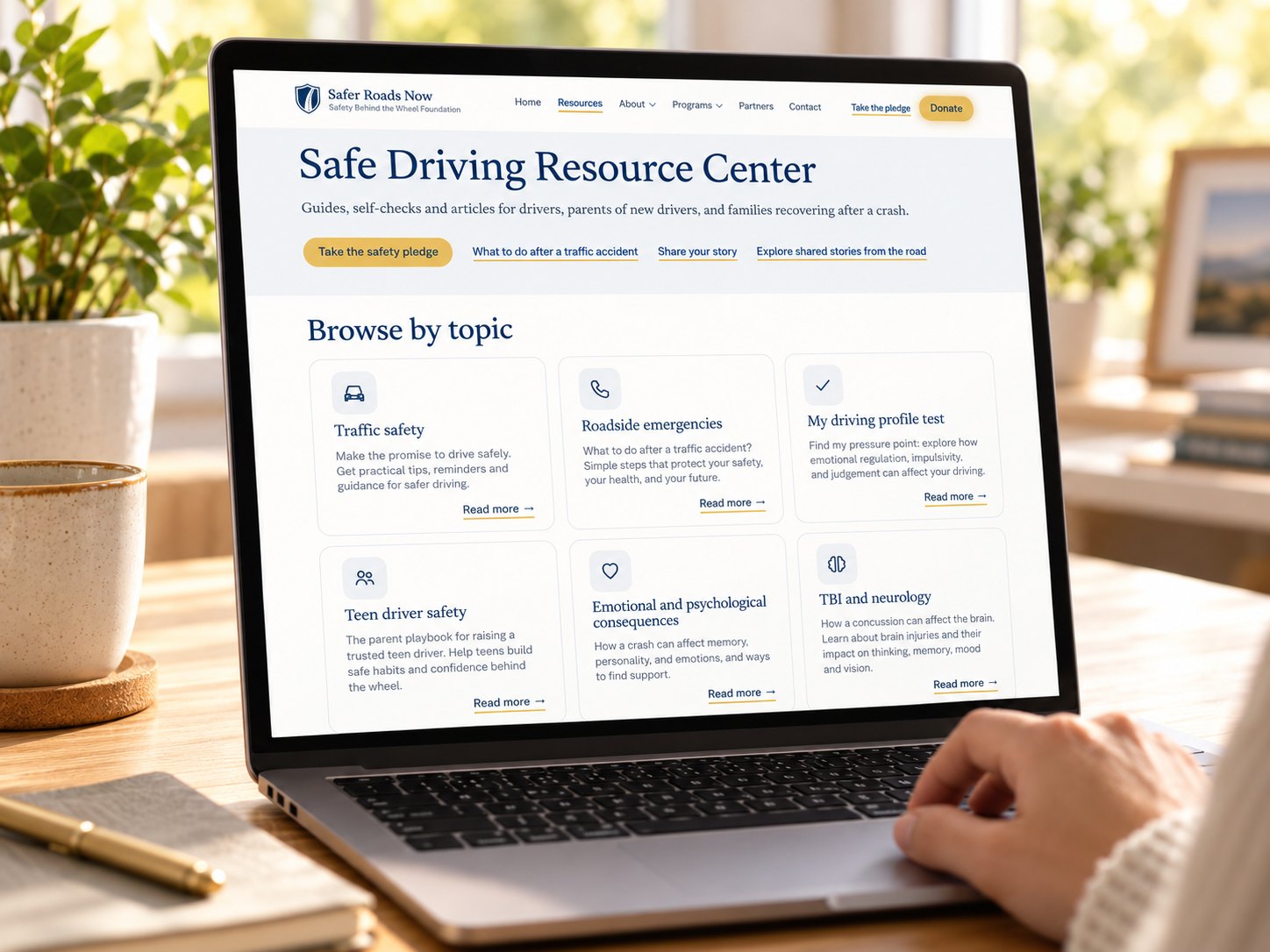
Safe Driving Resource Center
Guides, self-checks and articles for drivers, parents of new drivers, and families recovering after a crash.